From Manuscript to a File the Store Will Take.
Publish turns your project into an EPUB, a print-ready PDF, a Word file or plain text. It has presets for Kindle ebook, paperback and hardcover, and a 16-check list to run before you upload. It doesn’t design covers: yours comes from you, and Shiro checks its size.
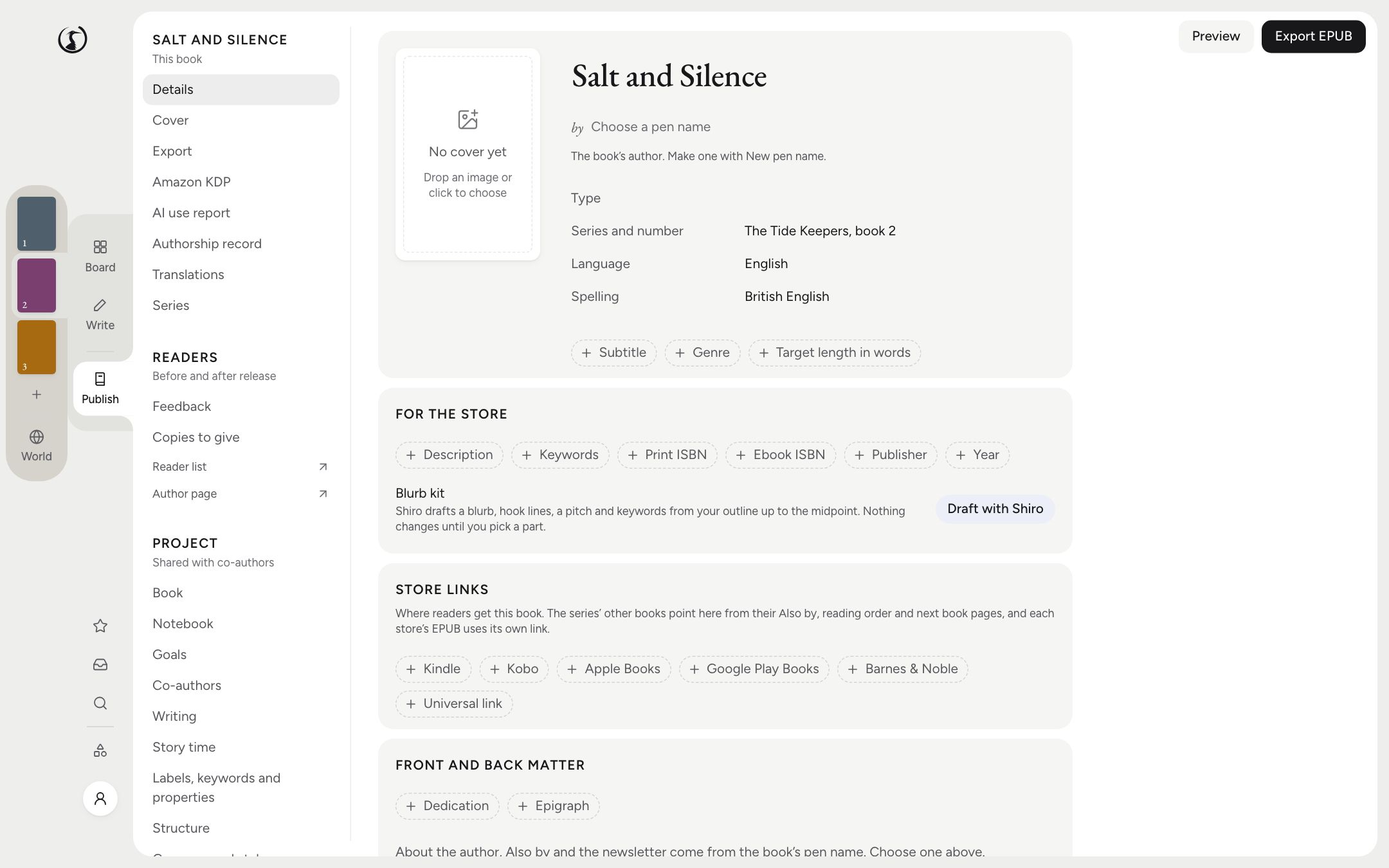
What Comes Out the Other End
EPUB, print PDF, Word, Markdown, HTML and plain text. The presets are the Kindle ebook, KDP paperback and hardcover, a general ebook, print at 5.5 × 8.5 and 6 × 9 inches, large print, Markdown, and a manuscript format, which is the double-spaced Word file an agent or an editor expects.
Trim sizes are 5 × 8, 5.25 × 8, 5.5 × 8.5, 6 × 9 and 6.14 × 9.21 inches, plus A5, and the guide to trim sizes will help you pick one. KDP hardcovers take the three larger inch sizes. The paperback PDF comes with KDP’s margins for its page count, so a book that grows by forty pages gets a wider gutter without you doing the sums.
Front matter can hold a title page, copyright, dedication, epigraph, contents and an AI disclosure if you need one. Back matter can hold an also-by list, the reading order, an about page, a newsletter link and a teaser for the next book. Print books can have an index.
Sixteen Checks Before Amazon Sees It
Before you go near KDP, the checklist looks at your book and reports on title, pen name, description, keywords, cover, cover size, contents in the ebook, language, series name and number, ISBN, the AI-content answer, trim size, page count, images, image resolution and markers left in the text. Each line says done, to do or optional, and most of the ones still to do link to where you fix them. Our guide to formatting for KDP goes through it in order.
Page count is checked against KDP’s limits: 24 to 828 for a paperback, 75 to 550 for a hardcover. Images are checked at 300 dpi at your trim size. The last check is the one we’re fondest of. It finds TK placeholders, highlights and open suggestions, because no reader should reach page 211 and meet the words “TK better metaphor”.
Amazon also asks whether AI generated any of your text, images or translations. Shiro records your answer, and the guide to that question explains what counts.
Seven Styles, and an Evening You Won’t Get Back
Classic, Hearth, Modern, Romance, Fantasy, Thriller and Literary each set the fonts and the chapter opening. You can change anything: about 20 open-licence font families, 8 chapter openings and 8 ornaments. Choosing an ornament is the most pleasant way yet found of not starting the sequel.
One EPUB per Store
Back matter is where stores get touchy. A Kobo reader who finishes your book should be sent to Kobo for the next one, and Apple has no wish to host your Amazon links. So an ebook can come out once per store, for Kindle, Kobo, Apple Books, Google Play Books and Barnes & Noble, plus one with your own link, each pointing at its own shop. Shiro warns you when a book in your back matter has no link for that store.
The same list holds box sets, a series bible for your editor or translator, and your pen names. If you use the AI, the blurb kit drafts a blurb, three hooks, a pitch and seven keywords from your outline up to the midpoint, so your ending stays out of it.
What It Doesn’t Do
- Covers are yours. Shiro doesn’t generate them or build a wrap and spine. Bring a JPEG or PNG and it checks for at least 625 × 1,000 pixels, about 1.6 times taller than wide. The full print cover comes from you or your designer, using KDP’s cover calculator.
- It doesn’t upload. You make the files and take them to KDP. To proof the ebook first, save the EPUB and send it to your own Kindle through Amazon’s page, or by email from Shiro on a paid plan.
- A clean checklist isn’t Amazon’s approval. It covers what can be read from your project. Amazon still has the last word.
- It doesn’t supply ISBNs. Shiro checks the one you enter. KDP can give you a free one for print.
Sharing the book with readers before it’s out is a separate job, and beta readers has its own page.
The Questions People Ask
Can I format a book for KDP with Shiro?
Yes. There are presets for the Kindle ebook, the paperback and the hardcover, and a 16-check list of what Amazon asks for. You upload the files to KDP yourself.
Does exporting cost anything?
The desktop app is free on your computer, exports included. A paid plan is needed for the author page, review and beta links, and Send to Kindle by email.
Does Shiro make my cover?
No. You supply the cover image and Shiro checks its size. It doesn’t generate covers, and it doesn’t build the print wrap or the spine.
Can I use it for stores and printers other than Amazon?
The ebook editions cover Kobo, Apple Books, Google Play Books and Barnes & Noble too. The print presets work for any printer that takes those trim sizes, but the checklist is written for KDP, so read your printer’s requirements yourself.