A Quiet Page With a Very Long Memory.
Write is where the book gets written: one scene at a time on an uncluttered page, with the quotes curling as you type. Behind it, Shiro takes snapshots you didn’t have to remember and keeps the versions of a scene you haven’t dared delete.
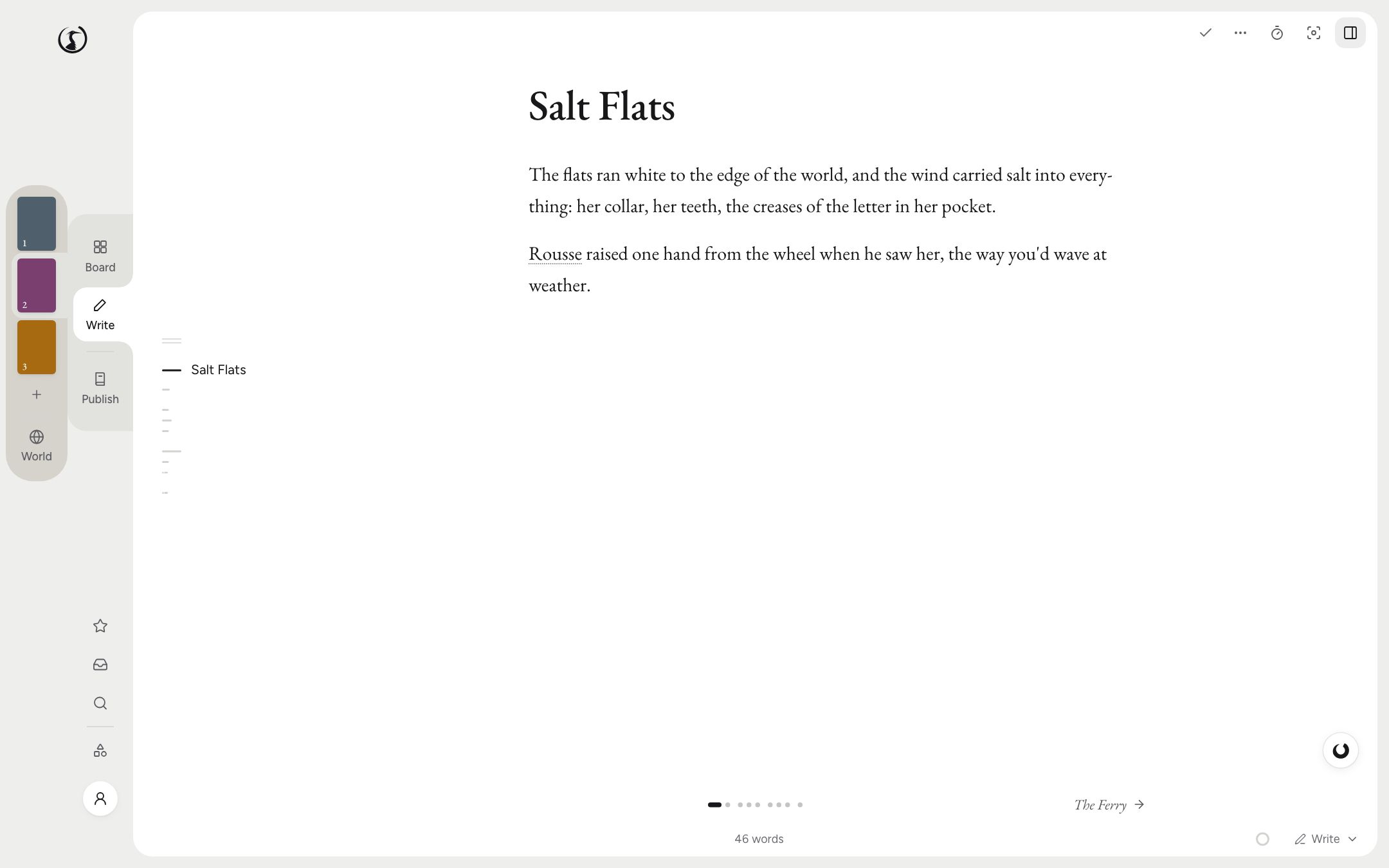
One Scene on the Page, the Rest of the Book Out of the Way
You write a scene at a time, and each scene is its own Markdown file in a folder on your disk. When you want to read for flow, the continuous view runs a chapter, a collection or the whole book as one long text. When you want even less on screen, Focus mode takes everything else away.
The slash menu holds what manuscripts really contain: footnotes, images, tables, verse, letters, attributed quotes. There’s a text-message block too, because your characters have owned phones for some time now and italics can’t keep covering for it.
Typography takes care of itself. Quotes curl, and dashes and ellipses set themselves as you type. A French book gets guillemets with their no-break spaces, a space before : ; ! ? and the dialogue dash, and the rules have their own guide if you want to know why.
Snapshots You Never Had to Ask For
Shiro takes a snapshot of a scene before its first change of the day, after every 30 minutes of active writing, before a merge or a split, and before any save that removes more than half of it. That last one passes no judgement. Cutting half a scene can be the best edit of the year or a bad evening, and you often won’t know which until later in the week.
They’re all kept for a day, then one a day for 30 days, then one a week. Any snapshot you name or pin stays for good.
Two wider nets sit behind that. The project is zipped when you open it, when you close it and every few minutes while it’s changing. And project history lists what has changed across the book, up to 300 entries over 90 days, so you can undo one change from last Monday and keep everything you’ve done since.
Three Endings, One Book
Alternatives are named takes of a scene. Write the funeral from the sister’s side, or draft the ending where he gets on the boat, without touching the version you have. One take at a time is in the book: that’s the one that gets compiled and counted, so three endings won’t flatter your word total. Compare them, settle on one, and the others can stay on as snapshots in case you were wrong.
A Second Page Beside the First
One pane opens beside the text, holding a scene, a note, a World entry or a file, and it scrolls on its own. Put the letter she wrote in part one next to the scene where he finally reads it. Tabs run across the lenses, so you can walk over to the Board, move something, and come back to the sentence you left.
Goals That Do the Arithmetic
Give Shiro a word total, a deadline and the days of the week you write. It works out the daily number and keeps adjusting it as the weeks go by. A day you’ve said you don’t write can’t break a streak, so Sunday stops being a moral failure. Sprints time a stretch of writing and count toward the day. The forecast tells you when you’ll finish at your current pace, and it has no reason to flatter you.
The Smaller Furniture
- The Stash keeps passages you’ve cut, for the paragraph you can’t defend and can’t delete.
- TK markers hold the place of a name or a fact so you can keep going. Publish counts any you’ve left behind.
- Dictation runs on your computer, in English or French, and knows the names in your book, including the ones you invented. Nothing you say goes to a server.
- Read aloud uses your system’s voices and highlights each sentence and word. A clumsy sentence has nowhere to hide from a voice with no tact.
- Spellcheck uses Hunspell dictionaries you download with a click. A thesaurus, a bundled grammar and style plugin, and a panel for the words you lean on sit next to it.
The Questions People Ask
Is Shiro distraction-free writing software?
When you want it to be. Focus mode (Cmd+Shift+F on a Mac, Ctrl+Shift+F elsewhere) goes full screen with only your page. You can add a backdrop and sounds, or have neither.
Can I write a whole novel in it without touching the AI?
Yes. The AI can be turned off entirely, and the page, snapshots, alternatives and goals don’t depend on it.
Where is my writing saved?
On desktop, in Markdown files in a folder on your computer. It works offline with no account, and any text editor can open the files.
How far back can I go?
Snapshots are all kept for a day, then one a day for 30 days, then one a week. Named and pinned ones are never thinned out. Project history reaches back 90 days, up to 300 entries.