You Finished the Book. You Now Run a Small Publishing House.
Self-publishing tends to go wrong after the writing: a cover file KDP won’t take, a Kobo edition whose last page sends readers to Amazon, a stray TK on page 212. Shiro takes you from the draft to the files you upload. You do the uploading, you bring the cover, and the checklist tells you what’s still wrong before a reader does.
The Last Five Percent
Nobody warned you about the last five percent. The book is finished, and suddenly you’re reading forums about gutter margins and trying to work out why your ebook has no contents page. You’ve become the typesetter, the proofreader, the designer’s client and the marketing department, and none of them has ever met.
Files That KDP Expects
Publish has presets for a Kindle ebook, a KDP paperback and a KDP hardcover, along with general ebook, print and manuscript ones. Trim sizes run from 5 x 8 to 6.14 x 9.21 inches, plus A5, and the guide to trim sizes helps you choose. Page limits are checked too: 24 to 828 for a paperback, 75 to 550 for a hardcover.
Before you upload, a checklist of 16 checks goes through the title, author, description, keywords, cover size, contents page, language, series details, ISBN, trim, page count, image resolution below 300 dpi, and markers left in the text. It also prepares your answer to KDP’s question about AI. The KDP formatting guide explains what these are for, with or without Shiro.
To be clear about the limits: Shiro doesn’t upload anything, and it doesn’t make covers. You supply the image and it checks the size. A print wrap with a spine has to come from a designer or a template.
One EPUB per Store
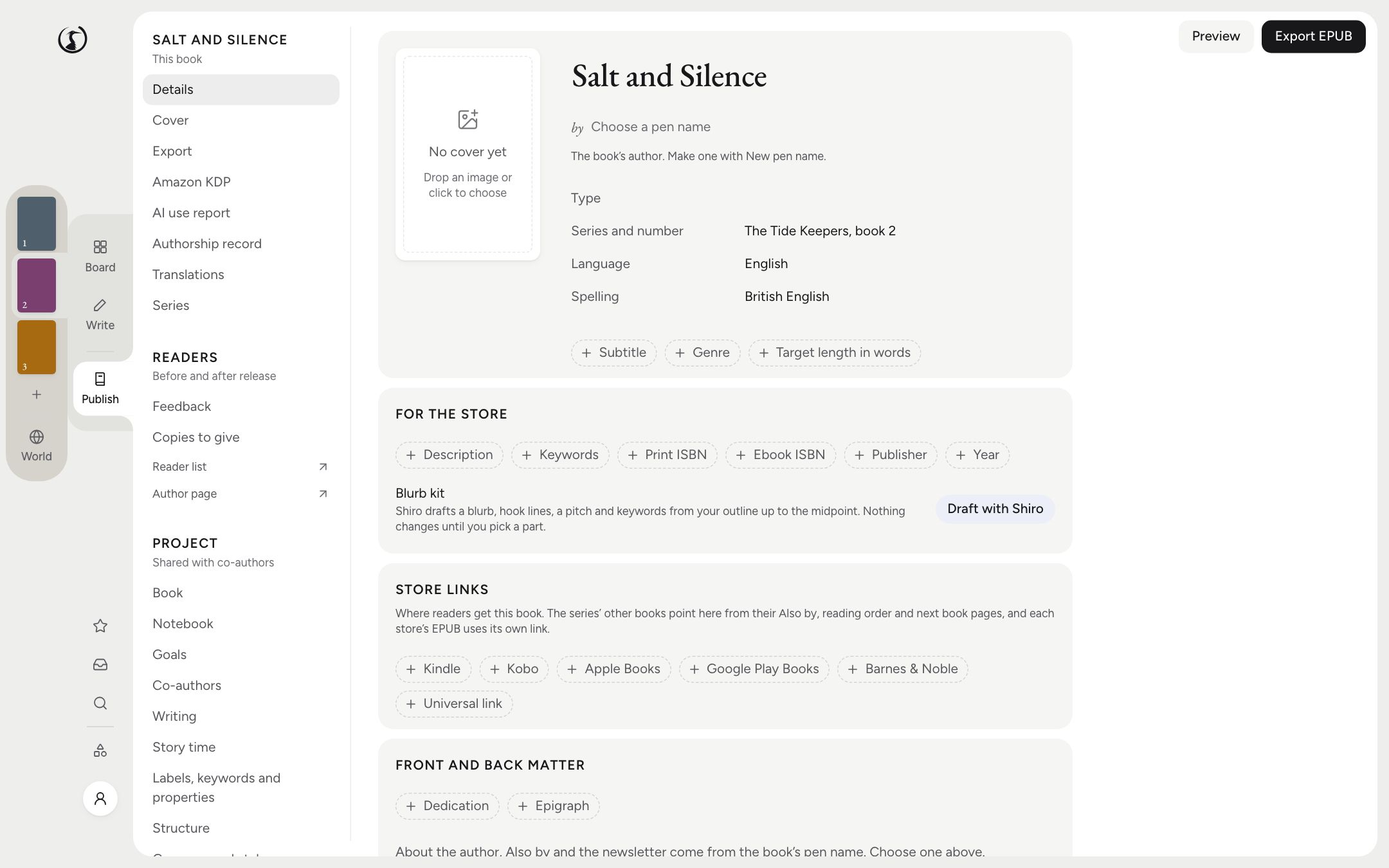
Kobo readers don’t want a link to Amazon at the back of their book, and Apple Books readers feel the same. An edition can come out once per store, Kindle, Kobo, Apple, Google, Barnes & Noble or other, each file carrying that store’s links in its back matter. It takes one export.
The look comes from styles (Classic, Hearth, Modern, Romance, Fantasy, Thriller, Literary), about 20 open-licence font families, 8 chapter openings and 8 ornaments. Front and back matter are built in: title, copyright, dedication, epigraph, contents, also by, reading order, about the author, newsletter and a teaser for the next book.
The Sales Copy You’ve Been Avoiding
Writing a blurb for your own book is like writing your own eulogy, with keywords. If you use the AI, the blurb kit drafts a blurb, three hooks, a pitch and seven keywords from your outline up to the midpoint, so it won’t give away the ending. Nothing changes until you pick a part. With AI off, the fields are there for your own words.
Pen Names and an Author Page
A pen name holds its own about-the-author text, Also by list and newsletter link, so the romance and the thrillers never meet in anyone’s back matter. A series can set one for all its books.
On a paid plan, you also get an author page with six themes, and review and beta links that readers open with no account, where chapters can be released over time and comments come back on the passage.
If You Only Need Formatting
If your book is already written and all you want is print and ebook layout, at one price, on any desktop system, look at Atticus. Formatting is what it’s for, and its output is the thing to beat. Shiro makes more sense if you’d like the writing and the publishing in one place.
The Questions People Ask
Does Shiro publish to Amazon for me?
No. It makes the files, with Kindle ebook, paperback and hardcover presets, and checks them with a 16-point list before you upload to KDP yourself.
Does Shiro make book covers?
No. You supply the cover image, and Shiro checks its size and puts it in the ebook. It doesn’t make print wraps or spines, so a paperback’s full cover comes from elsewhere.
Can I publish under a pen name?
Yes, under several. A pen name holds its own about-the-author text, Also by list and newsletter link, and a series can use one for all its books.
What do I need to pay for?
Writing, formatting and exporting are in the free desktop app. An author page, review and beta links, and Send to Kindle by email need a paid plan. The pricing page has the details.